New Barcode Check-in and Check-out Experience for Schools
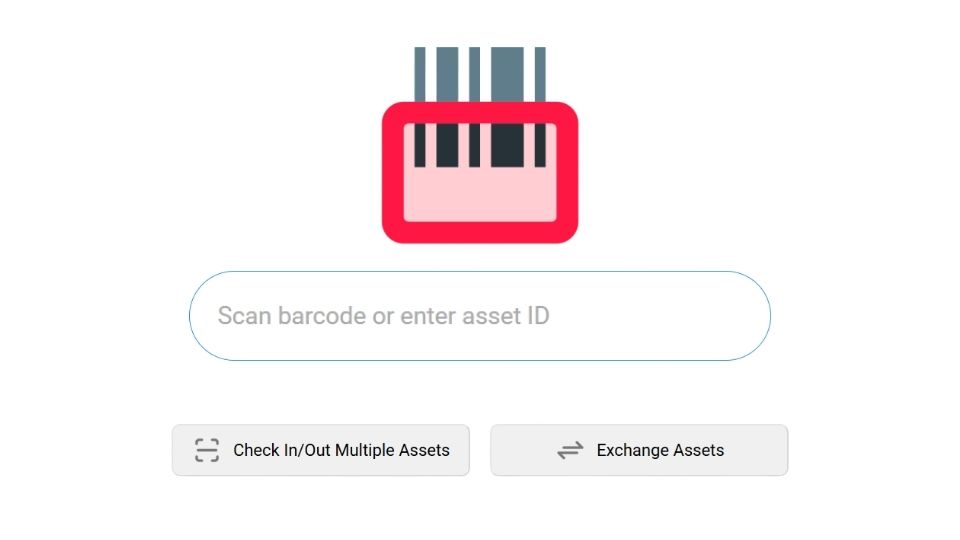
Our latest platform update, the VIZOR ‘Drummond’ Release, introduces a redesigned barcode check‑in and check‑out experience built specifically for the fast‑paced needs of school IT teams.
Fewer Clicks, Faster Processing
We’ve streamlined the interface to dramatically reduce the number of clicks required to process each device. As barcodes are scanned, the interface automatically shifts focus to the next field, minimizing manual interaction and keeping the workflow moving.
Integrated Activity Log
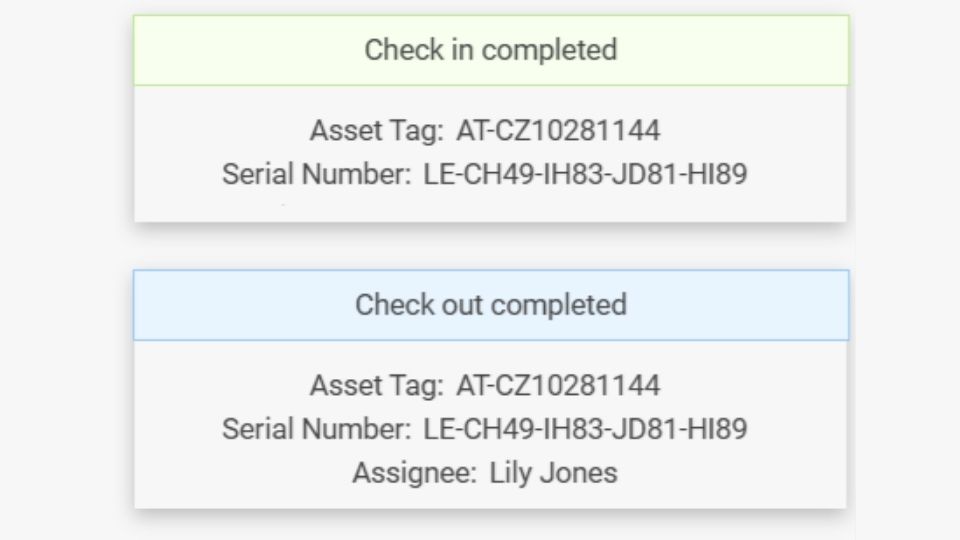
A new on‑screen activity log provides immediate, clear feedback for every scanned device. Staff can confirm successful check‑ins and check‑outs at a glance, reducing uncertainty and improving accuracy.
Real‑time Validation
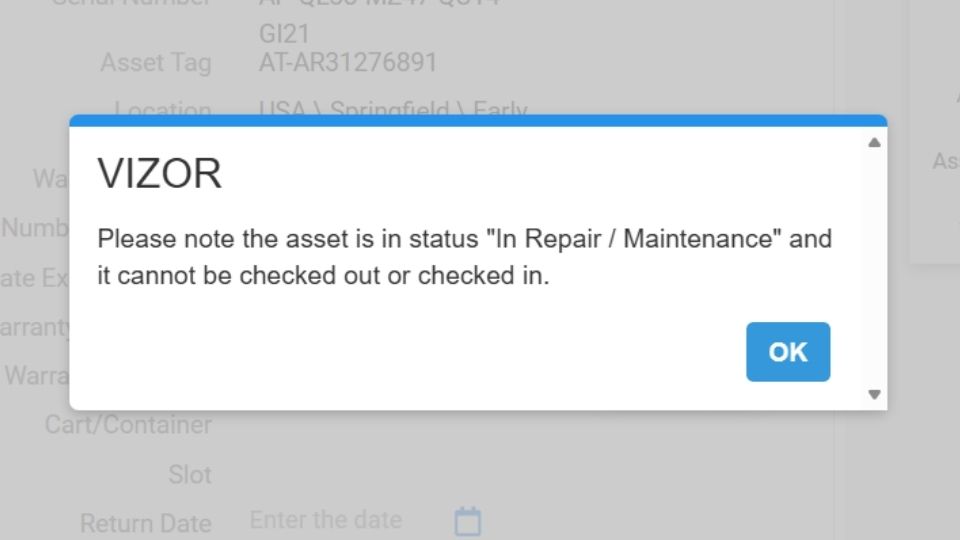
VIZOR now highlights issues the moment they occur. If a device is marked as lost, already assigned, or currently in repair, VIZOR will flag it instantly—helping schools maintain accurate inventory records and avoid allocation errors.
Condition Logging
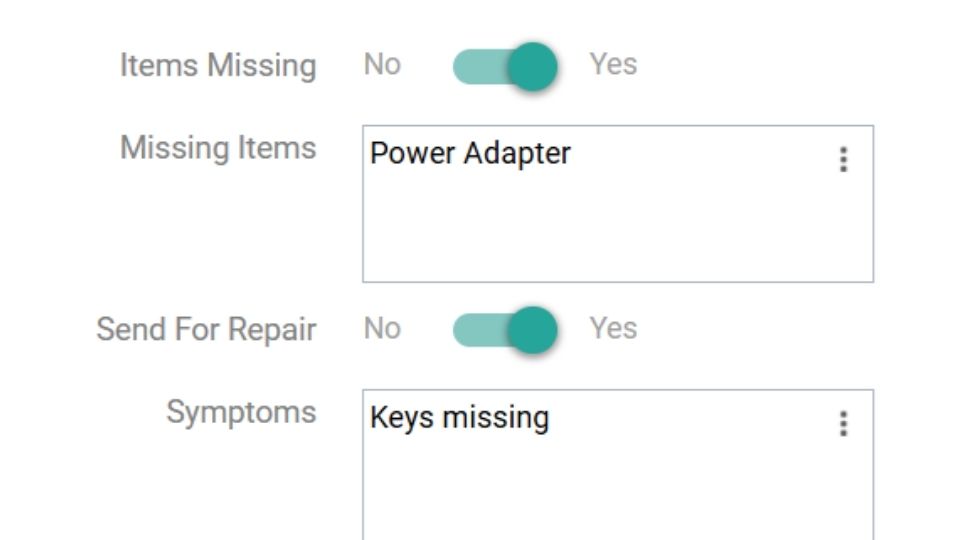
Missing chargers? Cracked screens? Repair symptoms? Staff can now record condition details directly within the check‑in workflow, ensuring issues are captured at the moment they’re discovered.
Customizable User Card
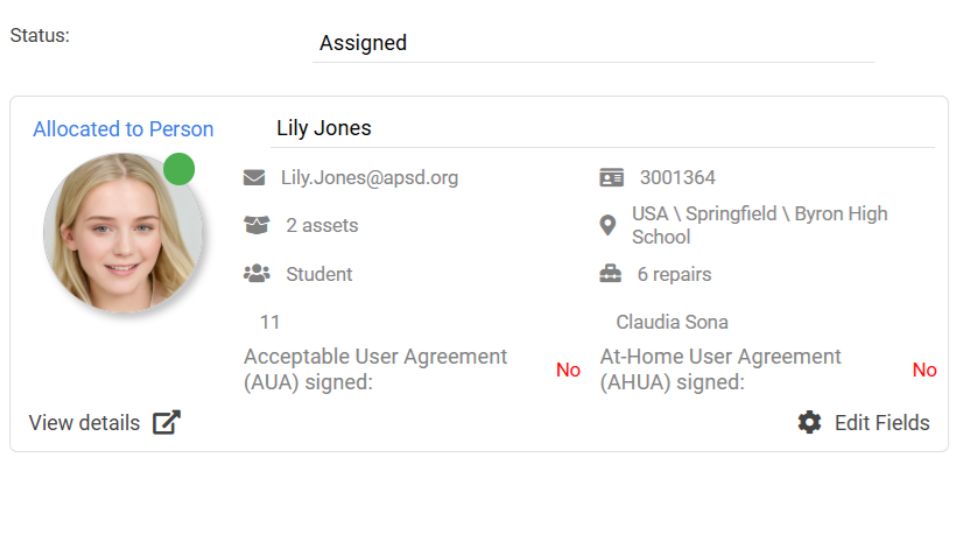
Empower staff with the information they need during device allocation. The new Customizable User Card lets IT teams choose exactly which student details appear during the check‑in/out process. Whether you need to confirm usage‑terms acceptance or check if a student already has a device, essential, glanceable information is now right where you need it.
With the Drummond release, VIZOR continues to prioritize the daily needs of school IT administrators, making the most frequent tasks like moving devices in and out of students’ hands easier than ever.
How to simplify student device management in your school.
Need a School IT Asset and Device Management Solution?
- Google Admin Sync
- Simplify 1:1 Initiatives
- Track Device Repairs
- Barcode Check-In/Check-Out